Home
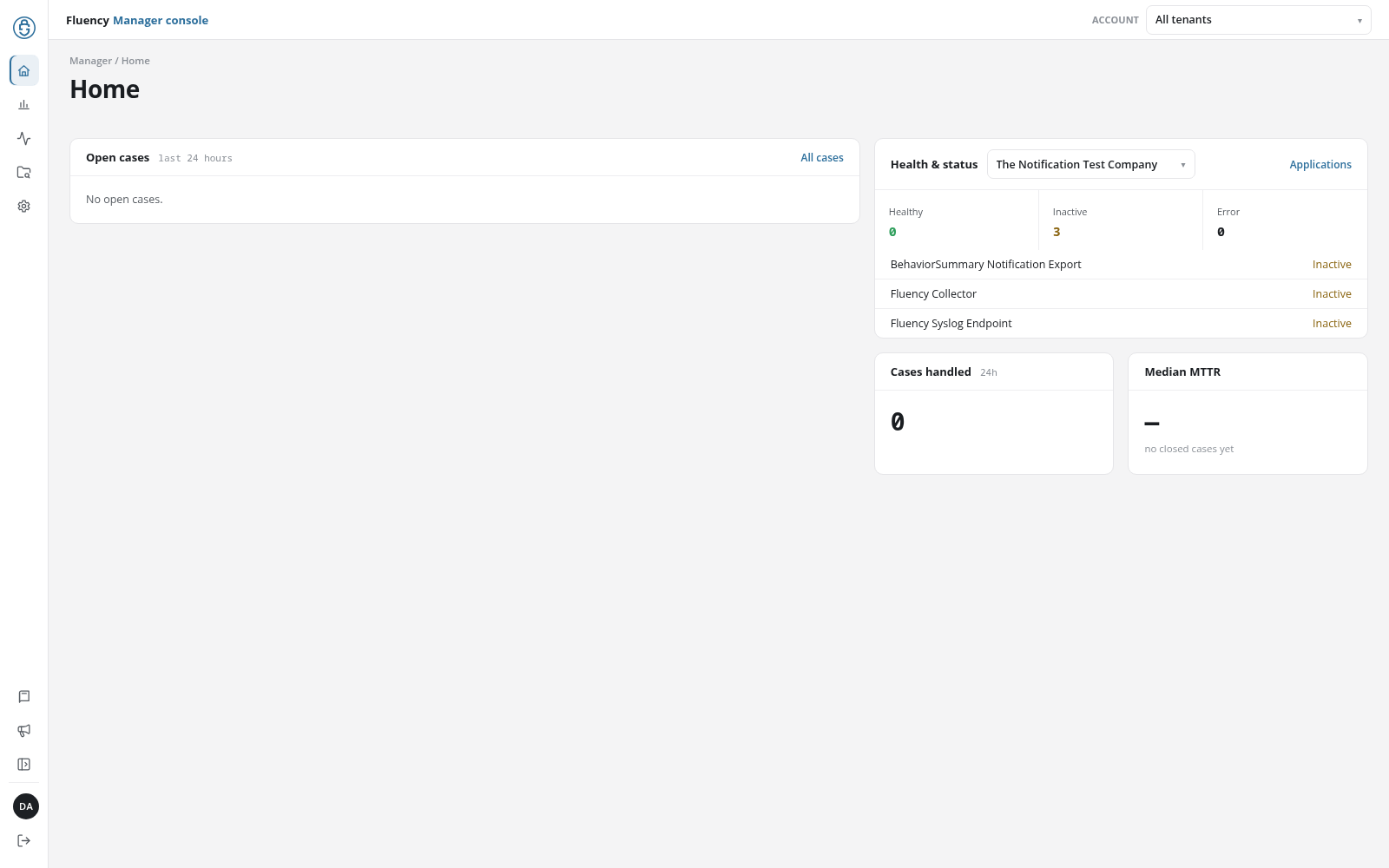
The Manager console's Home is the page a manager login opens on. It lists the cases still open across every managed account, shows the application health of one account at a time, and sums up how cases are being handled. It has the same panels as the workspace Home, over the managed accounts together instead of one account.
Menu path: Manager console → Home · URL path: /v2/manager
Page Layout
The header shows the breadcrumb Manager / Home and the title Home. Below it:
- Open cases: the left column.
- Health & status, Cases handled, and Median MTTR: the right column.
Open Cases
The cases still open from the last 24 hours across the managed accounts, each naming the account it belongs to. Click a case to open it on Behavior Summary in that account's workspace. When there are none, the panel reads No open cases.
All cases, in the panel's upper-right corner, opens the console's Overview Summary.
Health & Status
The application health of one managed account. The drop-down beside the panel's title (Select tenant) lists the managed accounts; until one is picked, the panel reads No tenant selected.
Once an account is picked, the panel shows what the workspace Home's Health & Status shows for that account: the Healthy, Inactive, and Error counters and the applications that are not healthy, each with its state. Click an application to open its details page in that account's workspace, or Applications, in the panel's upper-right corner, to open the account's Applications page.
Cases Handled
The number of cases handled in the last 24h, across the managed accounts. When open cases of high or critical severity remain, the caption beneath the number says how many (N still high-severity).
Median MTTR
The median time to resolve a case, across the managed accounts, with the number of closed cases it is drawn from beneath it (n=N). Until a case has been closed, the panel shows a dash and the note no closed cases yet.