Manager Console
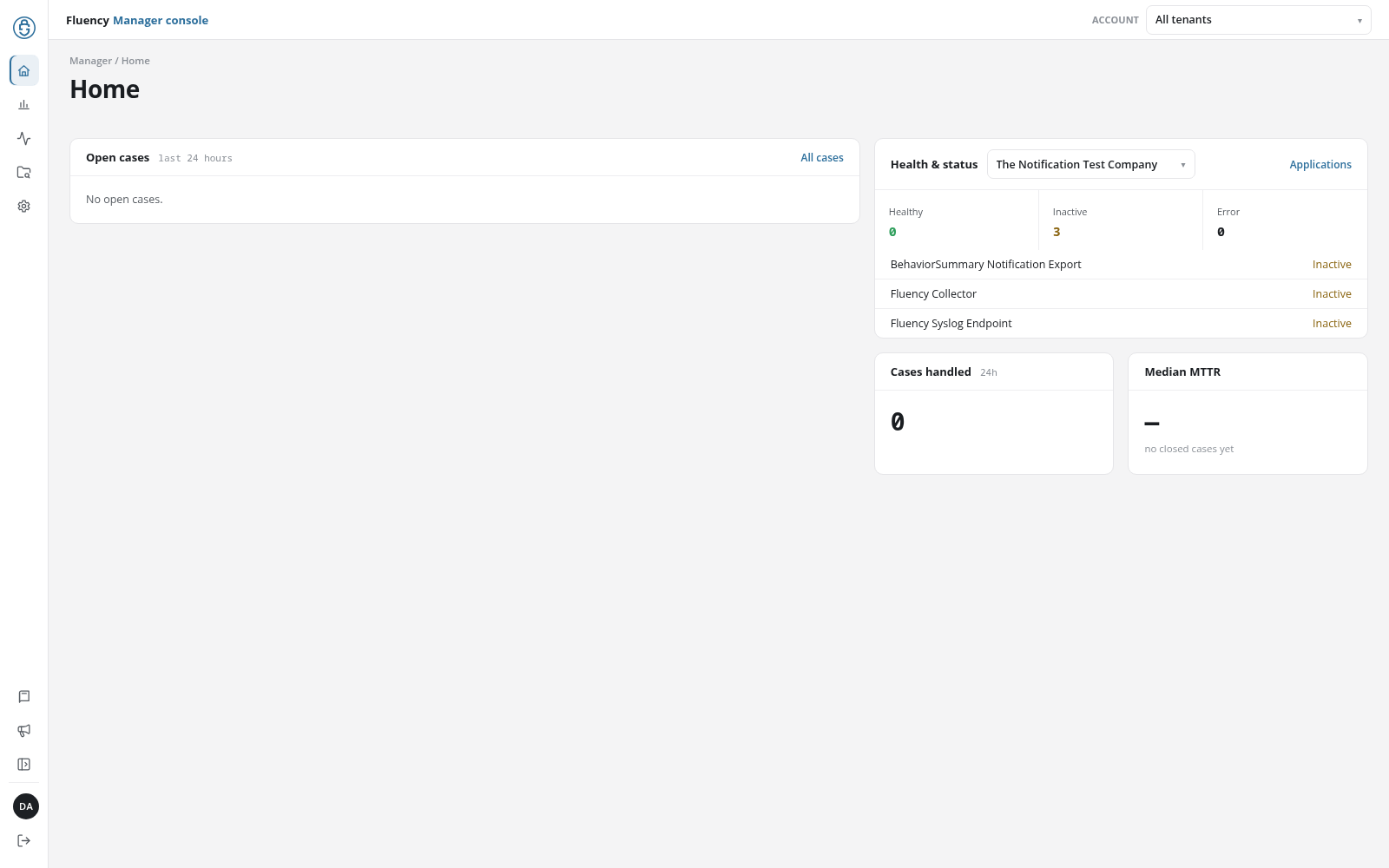
The Manager console is the provider's view of the accounts it manages. A manager login, the sign-in of a provider site that manages other Fluency accounts, lands here instead of on the workspace Home. The console brings the managed accounts' cases and metric alerts together on pages of its own, lists the clusters and accounts the provider runs, and holds the provider site's own users, API tokens, roles, and policies, including the site policies that decide which managed accounts each user and token may reach. Any managed account's workspace is one choice away in the top bar's ACCOUNT drop-down.
Menu path: Manager console (sign-in landing page of a manager login; network icon near the bottom of the workspace rail) · URL path: /v2/manager
Who Sees the Manager Console
The console is open to manager logins only. Signing in with one opens the console's Home; from the workspace, the Manager console item (network icon) near the bottom of the rail returns to it. Any other login has no such item, and a Manager console address opened from one leads to the workspace Home.
Navigation
The console has a rail of its own down the left edge. From top to bottom:
| Rail item | Page |
|---|---|
| Fluency logo | Returns to the console's Home. |
| Home | Home: open cases across the managed accounts, one account's application health, and case handling. |
| Overview Summary | Overview Summary: the behavior summaries of every managed account. |
| Metric Alerts | Metric Alerts: the metric alerts of every managed account. |
| Cases Search | Cases Search: faceted search across every managed account's cases. |
| Administration | Administration: the provider's clusters, users, API audit, API tokens, roles, and policies. |
| Documentation | Opens this manual. |
| What’s new | Opens the What’s new dialog, as in the workspace (see The Navigation Rail). |
| Expand menu / Collapse menu | Widens or narrows the rail. |
| Account avatar | The signed-in user's initials. Opens the console's Profile. |
| Sign out | Ends the session. |
The top bar reads Fluency Manager console, which also returns to Home.
The ACCOUNT Drop-Down
The ACCOUNT drop-down on the right of the top bar reads All tenants throughout the console. Its list holds All tenants and the managed accounts, by display name; an account that manages accounts of its own lists them beneath it, indented.
- A managed account opens that account's workspace Home, with every workspace page showing that account (see The Workspace as a Manager).
- All tenants returns to the console's Home.
When the list of managed accounts cannot be loaded, a warning across the top of the page reads Unable to load provider accounts.
The Workspace as a Manager
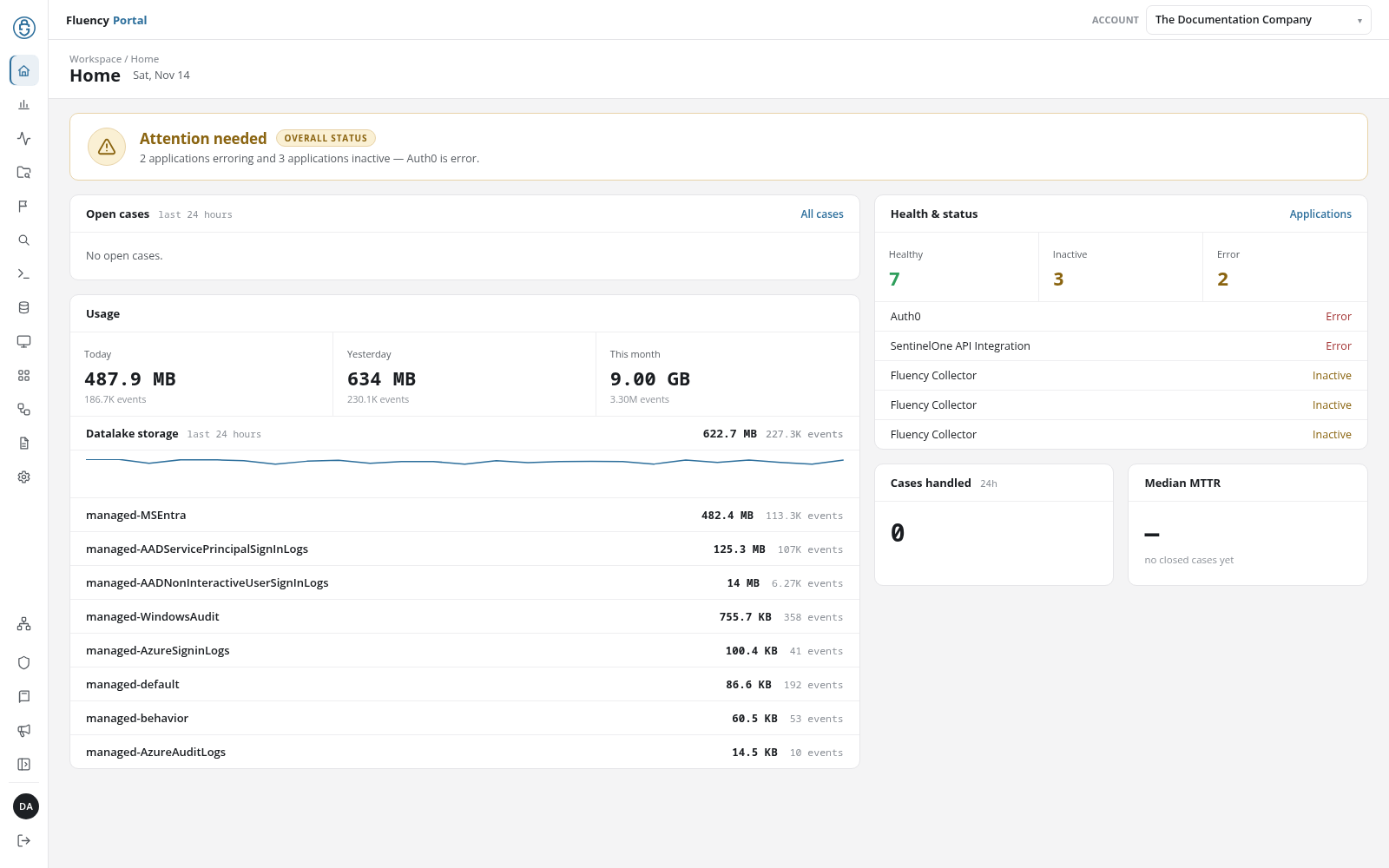
A manager login's workspace is the ordinary portal, showing one managed account at a time. The account it shows is named in the top bar's ACCOUNT drop-down; choosing another account there reloads the page for that account.
- Which account: the one named in the address (
?gridaccount=<account>), else the one chosen last, else the first in the drop-down's list. The workspace keeps?gridaccount=in its addresses, so a link copied from one page opens the same account. - The rail: above Documentation, Manager console opens this console, and Tenant admin console (the shield icon, named Admin console on other logins) opens the Admin console of the account shown: its users, API tokens, roles, and policies, and its audit and task logs.
The Manager console's own administration pages manage the provider site, not a managed account: see Administration.
Page Headers
A console page's header has a breadcrumb that starts with Manager, such as Manager / Home or Manager · RBAC, and the page title. The pages opened from Administration show an Administration link above the breadcrumb, which returns to it.
In this section
- Home: open cases across the managed accounts, one account's health and status, cases handled, and median MTTR.
- Overview Summary, Metric Alerts, and Cases Search: the managed accounts' behavior summaries, metric alerts, and cases, each naming its account.
- Administration: the hub of the provider's administration pages.
- Clusters: the clusters the provider runs and the accounts each one hosts.
- Users: the provider site's users, with the site policy each belongs to.
- API Audit: the API calls made across the grid, with the account and source of each.
- API Tokens: the provider site's API tokens, with a site policy chosen when a token is added.
- Roles and Policies: the provider site's roles, API policies, and data policies.
- Site Policies: which managed accounts each of the provider's users and tokens may reach.
- Profile: the signed-in manager's own account.