AWS GuardDuty
AWS GuardDuty combines ML and integrated threat intelligence from AWS and leading third parties to help protect AWS accounts, workloads, and data from threats. Fluency can ingest GuardDuty findings, allowing correlation with other data streams.
Install the Application
Go to Platform → Applications → Install Application From Template and choose Amazon GuardDuty from the AWS Services category.
The template authenticates with an assumed role (recommended) or an IAM access key pair (the alternative): choose a role, or enter a key and secret, not both. Create and register the role as described in Connecting to AWS, or see the access-key alternative there for a key pair. Either identity needs read access to GuardDuty, which the AWS managed policy AmazonGuardDutyReadOnlyAccess grants.
| Parameter | Notes |
|---|---|
| AWS Regions | Multi-select drop-down, opens on Select Values. Choose every region to collect findings from. |
| Pre-defined AWs Role | The recommended credential: the display name of a role registered under Settings → AWS Roles. |
| IAM access key | Alternative: an IAM user's access key ID. Leave empty when you choose a role. |
| IAM access secret | Alternative: the user's secret access key. Leave empty when you choose a role. |
| datalake | In the collapsed Advanced Configurations row above Install; expand the row to see it. Pre-filled managed. |
| datalake index name | In Advanced Configurations. Pre-filled GuardDuty. Two applications writing to the same index name in the same lake will collide, and the second one aborts. |
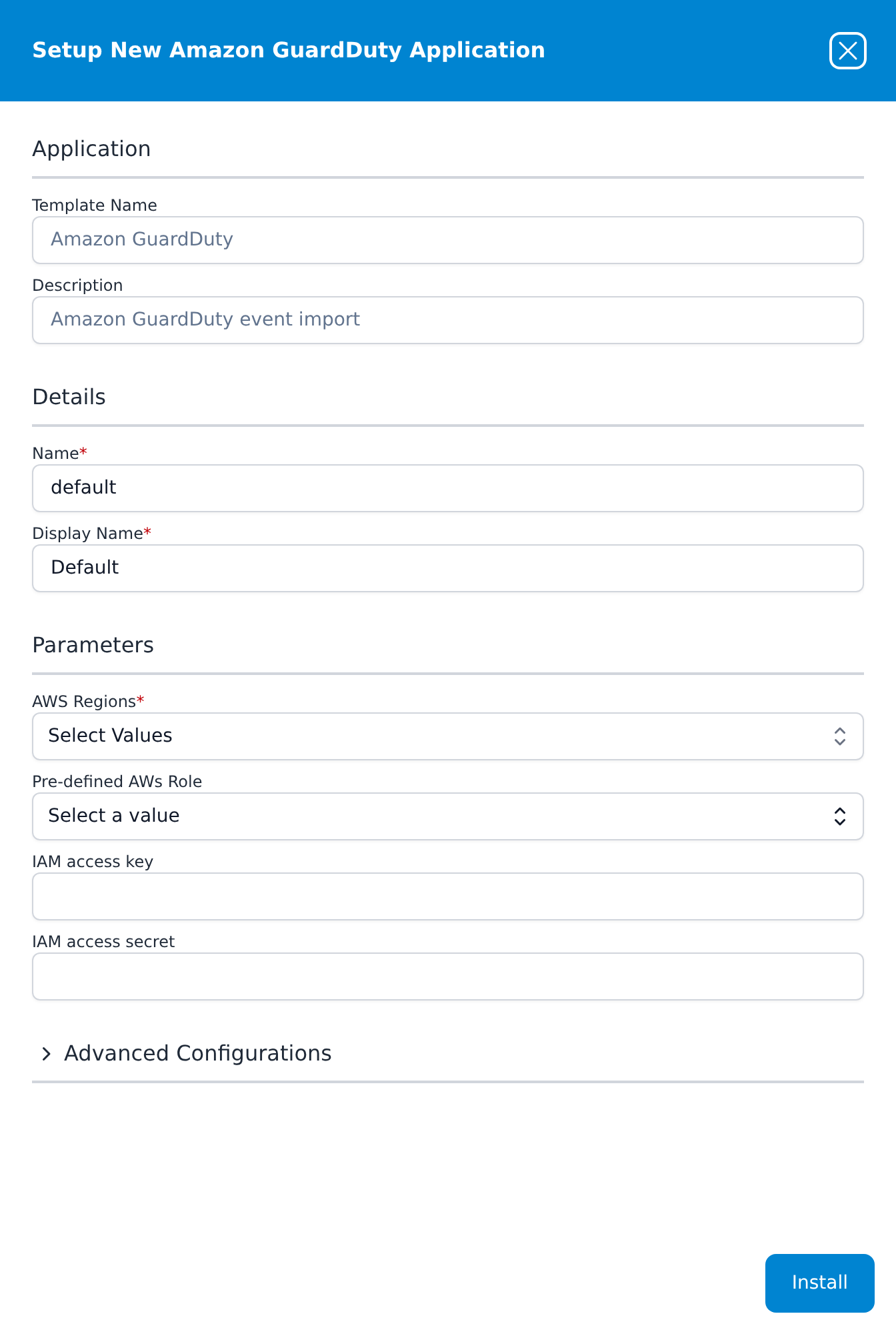
Press Install. The application then appears in the Installed Applications view, where its badge reads Running once the pipeline is up.