Ingress Management
A syslog source is a device, not an application: one template can serve hundreds of firewalls and servers, and its Running badge says nothing about any one of them. So for syslog, the platform keeps track of the senders themselves. Every syslog parser registers the devices it hears from as assets, and counts what each one sends; those counts are what metric alerts watch. This page covers that inventory, and the job of noticing when a device goes quiet.
Sources on the other transports are watched through their own applications instead — see Confirming It Works on API Polling, HEC, Webhooks, Cloud Storage and Event Streams.
The Asset Inventory
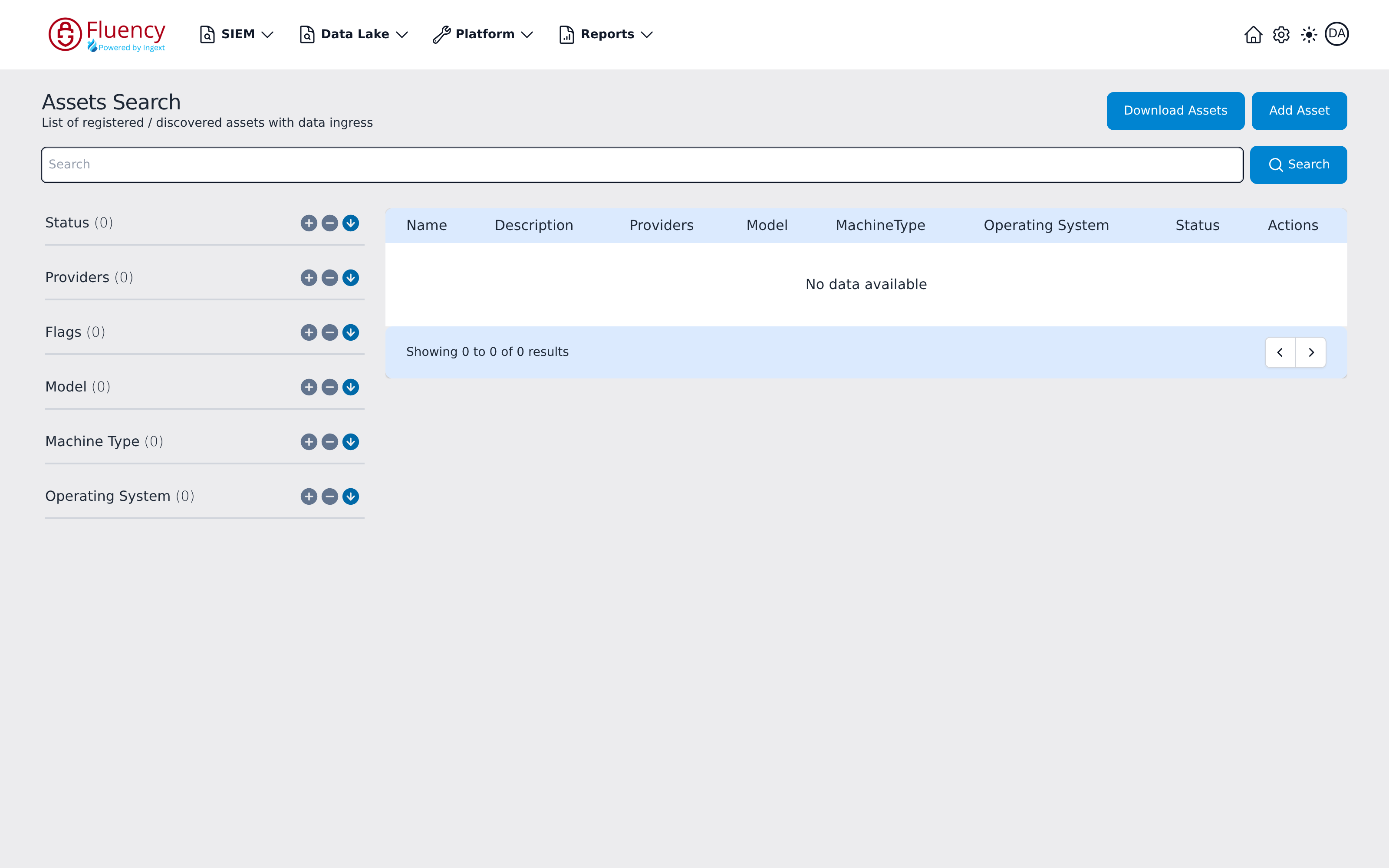
The inventory lives on Platform → Assets → Assets Search (URL path /platform/assets), subtitled List of registered / discovered assets with data ingress. A full-width Search field spans the page, with a facet panel on the left and the results table on the right; Download Assets and Add Asset sit in the header. The results table has Name, Description, Providers, Model, MachineType, Operating System, Status, and Actions columns.
How Devices Get There
- Through their template's parser. When a syslog template's parser claims a device's records, it registers the device the first time it sees it, with a machine type for that kind of device — a Linux host becomes a Linux Server — named after the host name in the device's syslog header, or its address where the header has none. This is why a distinct host name on every device matters: devices sharing a NAT with no host names in their headers register as one asset.
- Through the catch-all. A device that sends through a collector from a private address, in a format no installed template recognises, is still registered, as Syslog - followed by its address. Devices sending to the cloud endpoint are not registered this way. An unexpected Syslog - entry usually means a device whose template is not installed, or whose format its template does not recognise — see Syslog → Format.
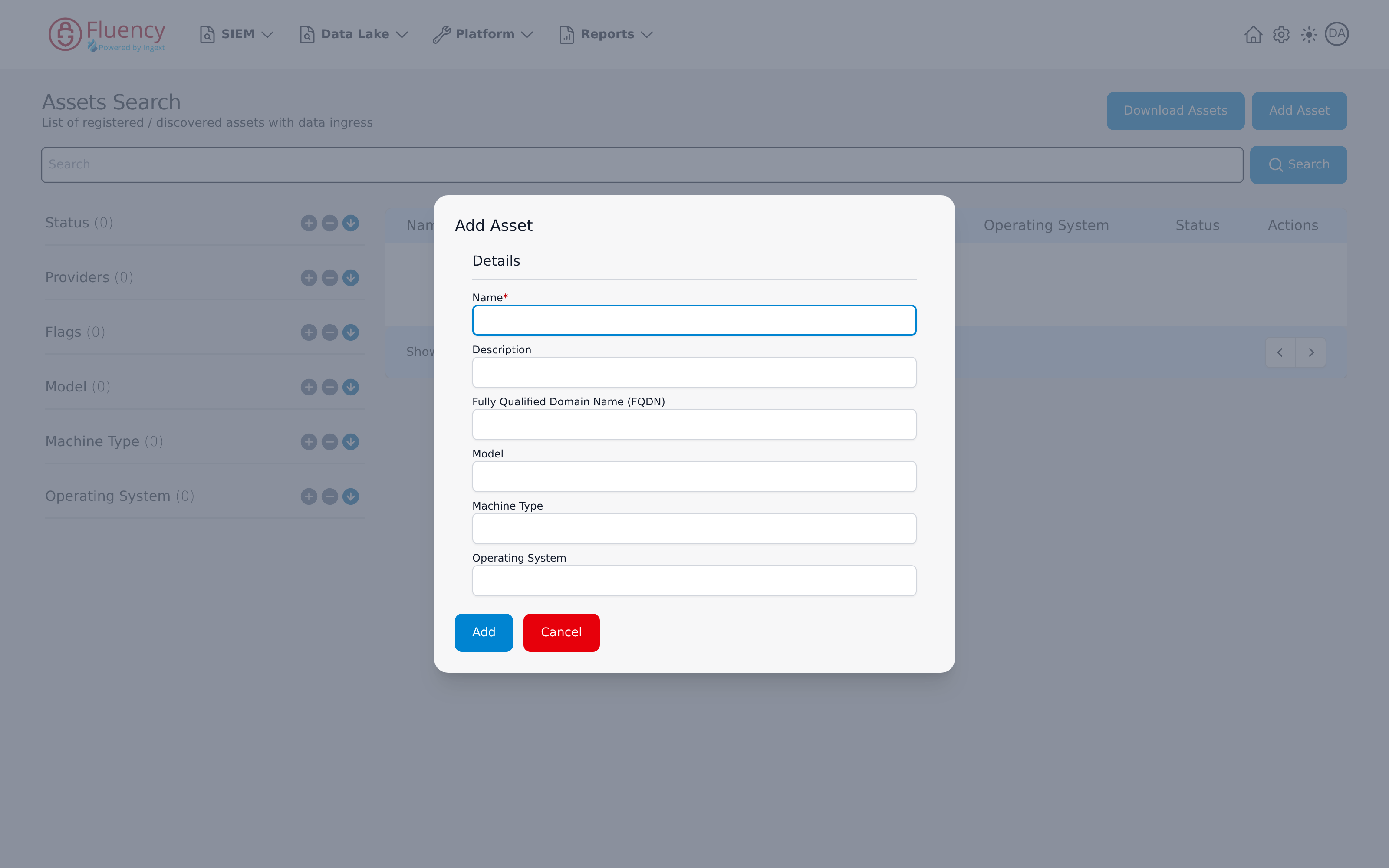
- By hand. Add Asset registers one. Its single Details section takes Name (required), Description, Fully Qualified Domain Name (FQDN), Model, Machine Type, and Operating System — click Add to save.
Detecting a Device That Stopped
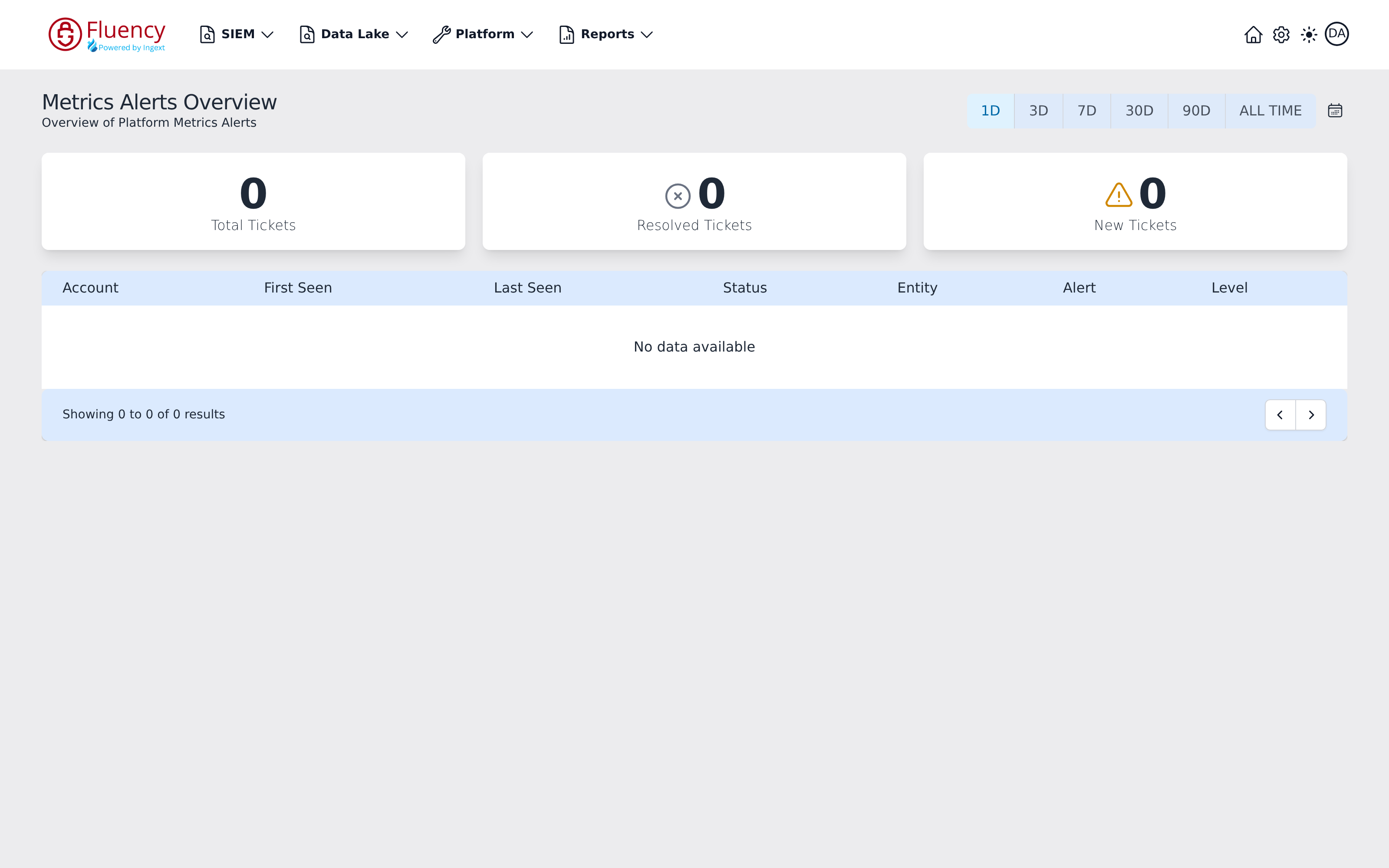
Silence is the failure mode a SIEM is least likely to alert on by itself, and syslog makes it worse: a device that stops sending produces no error anywhere. The per-device import counts the parsers record are what make it detectable. Where a metric alert is configured to raise a ticket for a device going quiet, that ticket surfaces on Platform → Assets → Metrics Alerts (URL path /platform/metrics/overview), titled Metrics Alerts Overview. A time-range selector at the top right offers 1D (the default), 3D, 7D, 30D, 90D, and ALL TIME, plus a calendar button for a custom range. Three summary cards report Total Tickets, Resolved Tickets, and New Tickets for that range, and the table below lists one row per alert ticket with Account, First Seen, Last Seen, Status, Entity, Alert, and Level columns.
Act on those tickets quickly. A syslog device does not store and resend what it could not deliver: anything a device sends directly to a listener while the path is broken is gone. A collector in between narrows the gap — it queues what it cannot upload, up to the limit of its disk — but it cannot recover what never reached it.
For devices that are busy by nature — a firewall carrying traffic, a domain controller — volume itself is a usable check: an hour of silence is a fault, not a quiet hour.
Onboarding and Retiring Devices
Onboarding. Install the device's template once — see On-Prem / Syslog — and then point each device at a listener. Install the template first, so the first records are parsed and the device registers under the right type.
Retiring a device. Stop it sending first. Some devices fail closed: when a reliable (TCP or TLS) log destination goes away, they stop passing traffic. Leave the template installed while any device of that kind still sends; one template serves them all.
Replaying archived syslog. Archived collector and syslog data can be replayed from an S3 bucket through the syslog router — see Cloud Storage → Replaying an Archive From S3.
Related
- Syslog — listeners, protocols, and how records are claimed.
- Managing Collectors — a collector's queues and health.
- Platform Usage charts
- Troubleshooting — no data arriving