LDAP Directory Synchronisation
An on-premises directory — Active Directory, or any LDAP server — knows who your users are, which groups they belong to, and which computers are joined to the domain. The platform uses that to resolve the account names and hosts that appear in events. But the directory is inside your network, and the platform cannot query it from the cloud. So the query runs from a Fluency Collector on the same network, which reads the directory on a schedule and sends what it finds to the platform.
This is the one form of API polling that runs from your network rather than from the cloud. Its output is not an event feed: the results land as records on SIEM → Resources, which is where detections and investigations look names up.
Before You Begin
- A registered, connected collector with a network path to a directory server on the LDAP port — see Fluency Collector. Note the collector's name as it appears on Platform → Administration → Collectors.
- A bind account in the directory with read access to the objects you want synchronised. A dedicated, non-privileged service account is right: reading users and groups needs no administrative rights, and the password is stored on the platform.
- The base DN to search under — typically the domain's root, written like
DC=corp,DC=example,DC=com, or an organisational unit below it to narrow the scope.
Install the Application
Go to Platform → Applications → Install Application From Template and choose LDAP Connector from the Endpoint Management category. Every parameter is required:
| Parameter | Notes |
|---|---|
| Local Fluency Collector Name | The collector that will reach the directory server, exactly as named on the Collectors page. |
| AD/LDAP Server IP | The directory server's address, as the collector reaches it. |
| AD/LDAP Server Port | Pre-filled 389, the standard LDAP port. |
| BaseDN String | The search base for the directory queries. |
| Username | The bind account. |
| Password | The bind account's password. Masked as you type, and masked in the application's details panel after installing. |
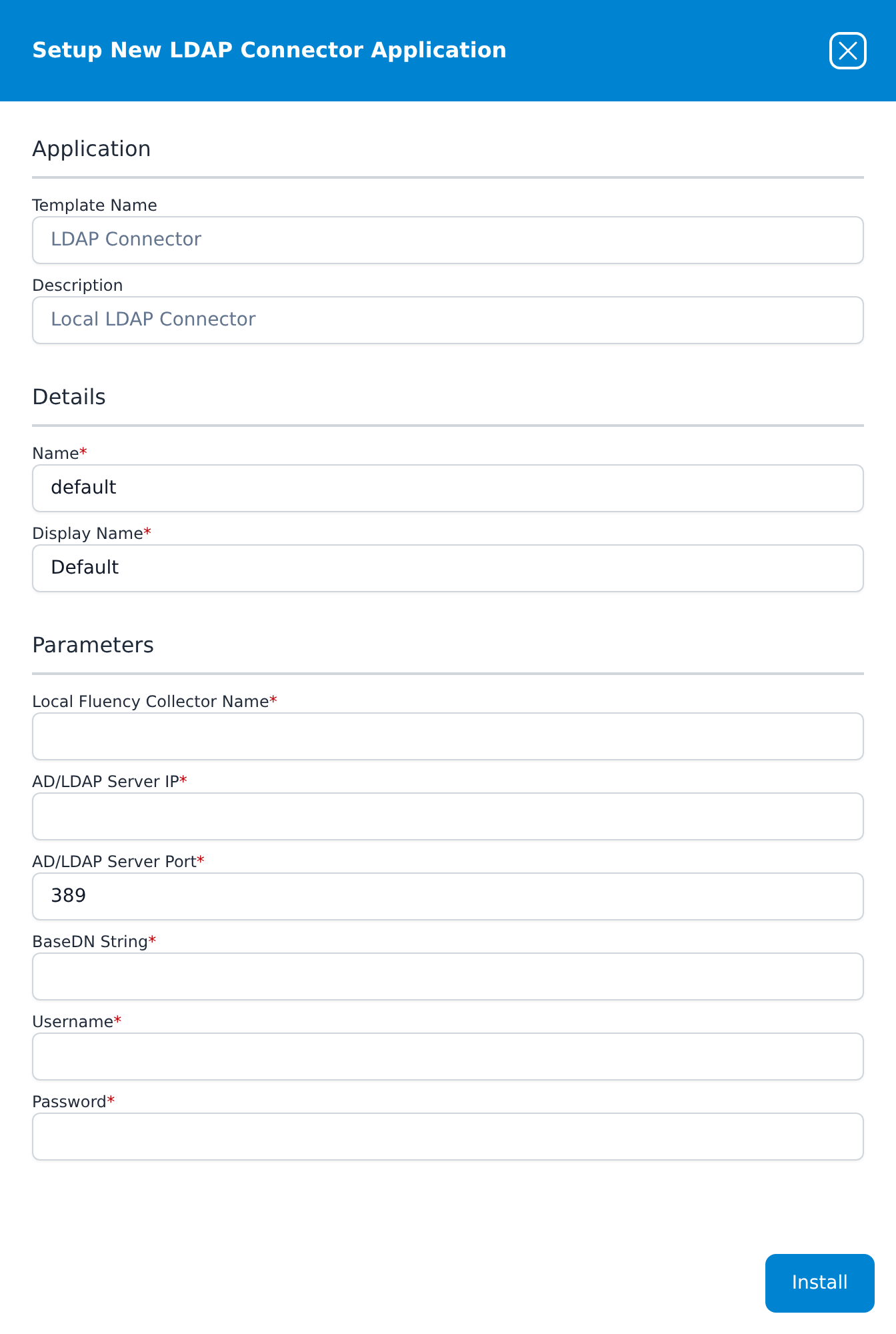
Press Install. The application then appears in the Installed Applications view, where its badge reads Running once the pipeline is up.
Unlike most templates, LDAP Connector has no datalake or datalake index name parameter: its results are resource records rather than events, so there is no index to name and nothing to collide with another application.
Confirming It Works
A Running badge means the application was created. Whether the collector could bind to the directory shows up only in the records:
- Open SIEM → Resources (
/SIEM/resources). The page shows one card per integration that has contributed resources, with a button for each resource type it provides. - Open the LDAP integration's card and a resource type. Its record browser at
/SIEM/resources/<Integration>/<ResourceType>has a Search bar, a faceted filter panel reporting Total Records with per-value counts, one card per record, and a Download Resource export. - Resource Load Failed on a resource type means nothing has been collected for it yet. Allow time for the first synchronisation; if it persists, the collector could not reach or bind to the directory.
See SIEM → Resources for the full page reference.
When It Does Not Work
| Symptom | Usual causes |
|---|---|
| Records never appear | The collector name does not match a registered collector; the collector is offline (grey on the Collectors page); no route from the collector to the directory server on the port; a firewall on the directory server. |
| The collector is online, still no records | The bind account's username or password is wrong, or the account is locked or expired; the base DN does not exist or is mistyped. |
| Records appear, but some users or groups are missing | The base DN is narrower than intended, or the bind account cannot read part of the tree. |
| Worked, then stopped | The bind account's password changed or expired; the collector was replaced or deleted. |
Changing the Settings
Parameters are read-only once installed. To change the password, the server or the base DN, uninstall the application and install it again with the new values. The same applies when the collector is replaced: a new collector has a new name, and the application has to be reinstalled to name it.
Related
- Fluency Collector — installing the collector this runs on.
- Active Directory — collecting domain controllers' event logs, which is a separate integration from this directory synchronisation.
- SIEM → Resources — where the records land.