Lake Tasks
The Lake Tasks area is the run log of the background jobs that move data into and around the data lake — the ingest, merge, and platform jobs behind each index.
Menu path: Settings → Management → Lake Tasks · URL path: /settings/lakeTasks
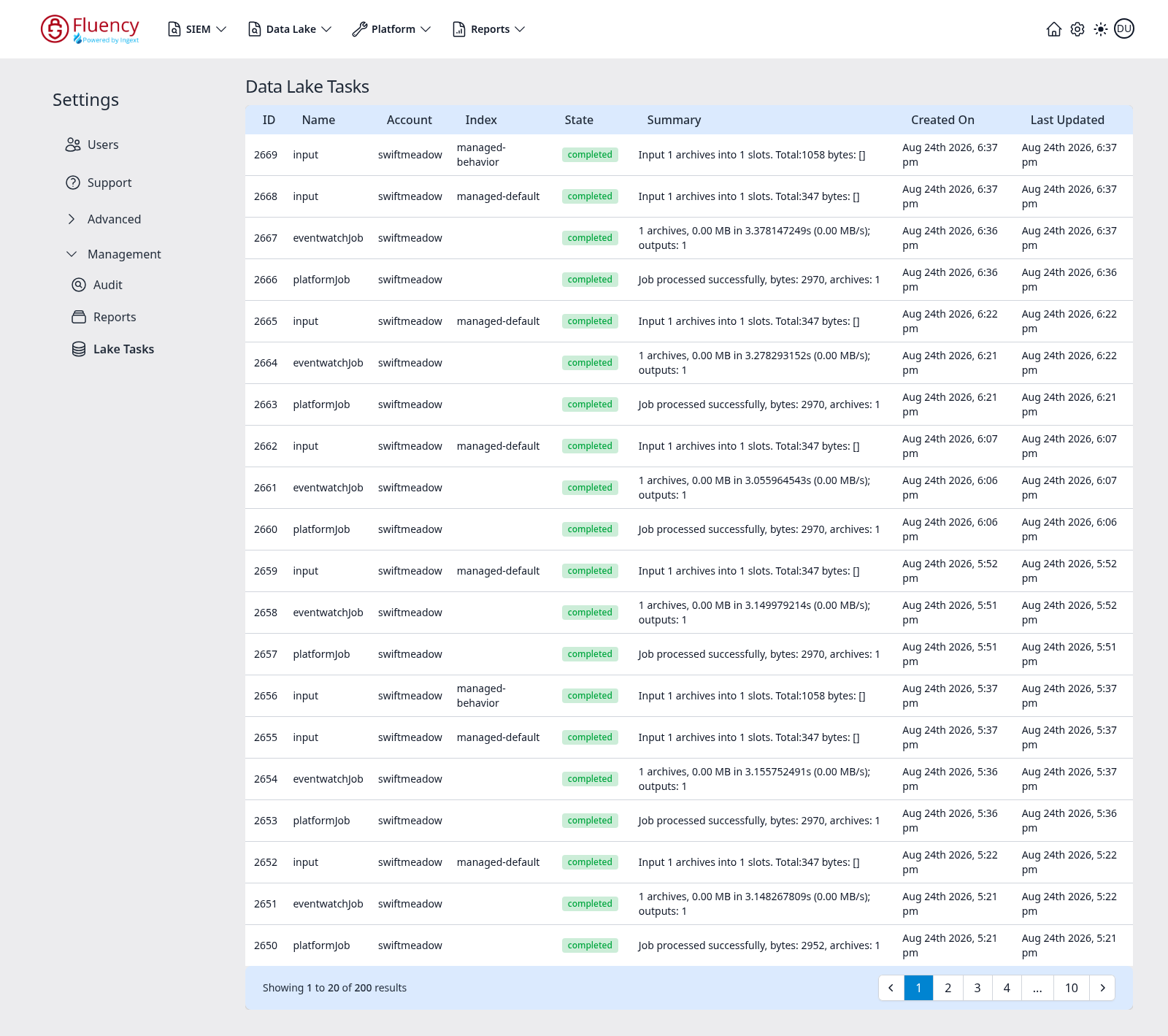
Page Layout
The page title is Data Lake Tasks. The content area is a single table of task runs, newest first, with a footer bar reporting the visible range and the paging controls.
Table Columns
- ID — the task's numeric identifier, descending down the list.
- Name — the job type. The example shows input (archives being taken into an index), eventwatchJob, and platformJob.
- Account — the account the task ran for.
- Index — the index the task wrote to, such as
managed-defaultormanaged-behavior. Jobs that are not index-scoped leave this blank. - State — a status chip; green completed for a finished job.
- Summary — the job's result line, such as Input 1 archives into 1 slots. Total:347 bytes: [] for an input job, or Job processed successfully, bytes: 2970, archives: 1 for a platform job.
- Created On — when the task was created.
- Last Updated — when it last changed state.