Skills
The Skills page lists the skills available to the AI assistant: the recipes it follows to build a report, run an investigation, or carry out a review on the tenant. Each skill shows what it does and which version it is, and links to its source and to a file to download and install it in the assistant. The page only reads the catalog; nothing here installs, changes, or removes a skill.
Menu path: Configuration → Skills · URL path: /v2/configuration/skills
Page Layout
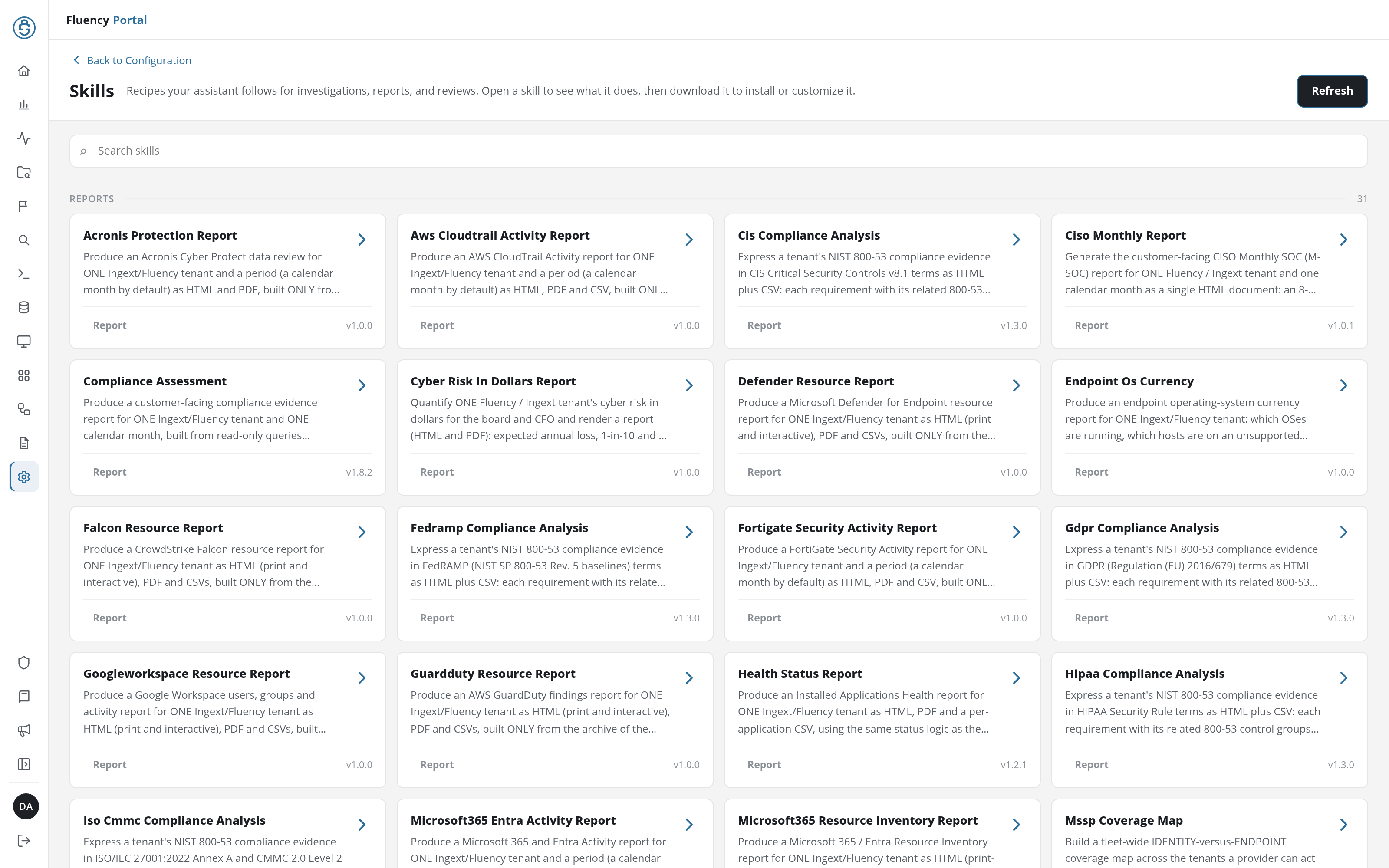
- Header: a Back to Configuration link above the title Skills and the subtitle Recipes your assistant follows for investigations, reports, and reviews. Open a skill to see what it does, then download it to install or customize it., with the Refresh button on the right, which reloads the catalog.
- Search field: a full-width field with the placeholder Search skills.
- Skill groups: the catalog in two groups, each headed with its name and, at the right end of the heading, the number of skills in it:
- REPORTS: skills that produce a report for one tenant or across tenants, such as Acronis Protection Report, Compliance Assessment, Health Status Report, or Microsoft365 Entra Activity Report.
- SKILLS: the other skills: investigations (Incident Investigation, Azure User Signin Investigation), queries (Ingext Kql, Ingext Promql), setup (Add Connector, Customer Onboarding), and authoring (Eventwatch Rule, Parser Rule, Fpl Report Builder).
Skill Cards
Each group lists its skills as cards, four to a row, in alphabetical order. A card shows:
- Name: the skill's identifier written as a title, such as Acronis Protection Report for
acronis-protection-report. - Description: the opening of the skill's description, cut off after three lines.
- Kind: Report in the REPORTS group, Skill in the SKILLS group.
- Version: the skill's version, such as v1.0.0.
Click a card to open the skill's details.
Search
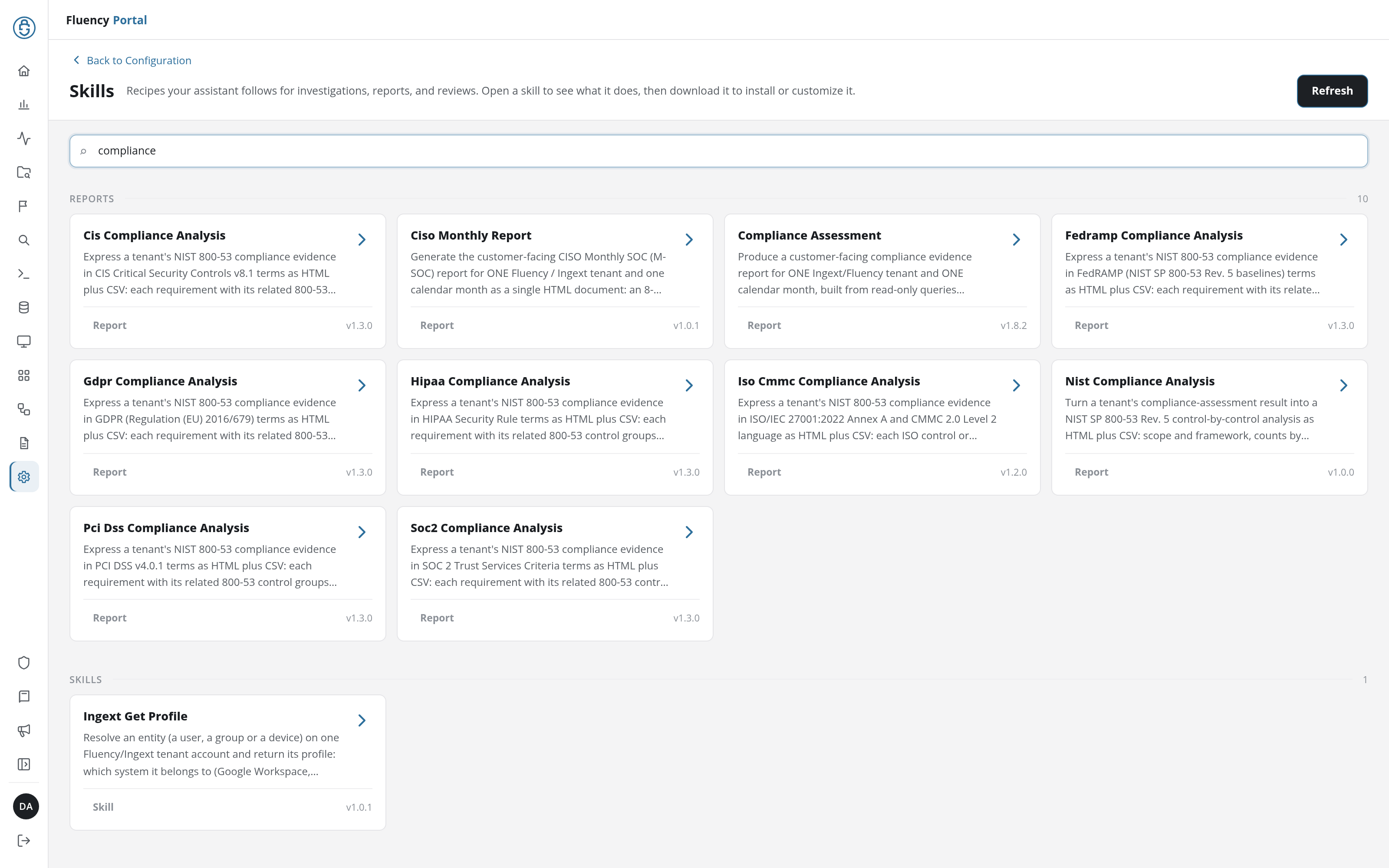
Typing in Search skills narrows both groups at once to the skills whose name or description contains the text, and each group's count follows. A search for compliance, for example, leaves ten reports (the compliance analyses, Compliance Assessment, and Ciso Monthly Report, whose description mentions the compliance assessment) and one skill, Ingext Get Profile.
Skill Details
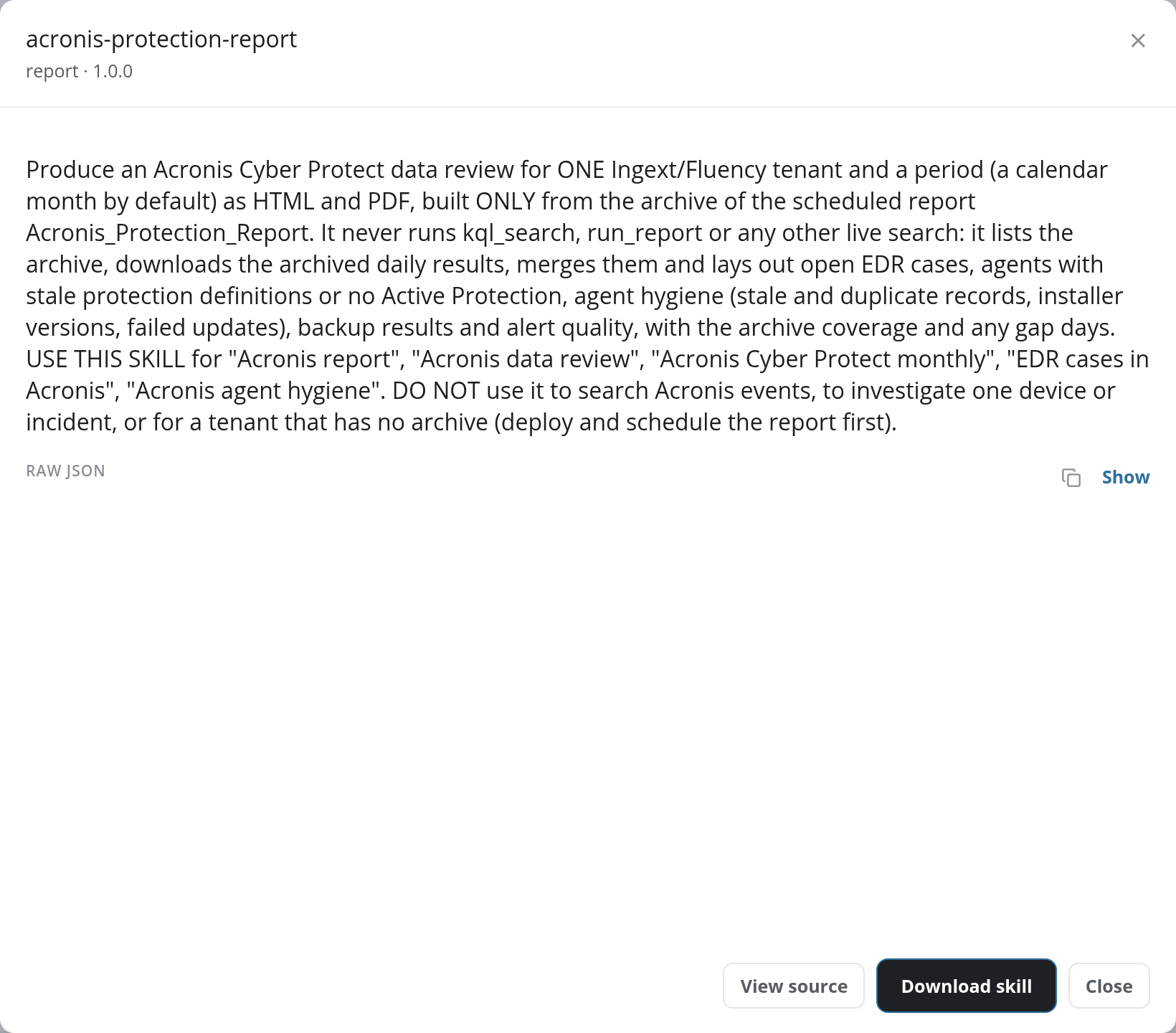
A skill's details open in a dialog headed with the skill's identifier (acronis-protection-report) and, beneath it, its kind and version (report · 1.0.0). Below the heading:
- Description: the skill's full description: what it produces and from which data, the requests it is meant for (USE THIS SKILL for …), and what it is not for (DO NOT use it …).
- RAW JSON: the skill's catalog record as JSON, starting with its
id,name,version,description,category, andsourcePath; hidden until Show is clicked (Hide folds it again), with a copy button beside it. - View source: opens the skill's
SKILL.mdin the ingext_skills repository on GitHub. - Download skill: downloads the skill as a
.skillfile, ready to install in the assistant. - Close or ×: closes the dialog.