Microsoft 365 Bundle (Activity, Entra ID, Inventory)
Microsoft 365 Bundle (Activity, Entra ID, Inventory) is an application template in the Office Software (SaaS) and IAM category of the Application Catalog. Its card describes it as One app registration with a client secret installs Microsoft 365 Activity Log, Microsoft Entra ID Logs (Graph API) and Microsoft 365 Inventory together. Do not install those three separately as well. No admin-consent mode.. Installing it from the form below adds an application to Applications. Its template ID, Office365Audit, is the one listed on Application Templates.
Menu path: Applications → Install Application → Microsoft 365 Bundle (Activity, Entra ID, Inventory) · URL path: /v2/applications/install?template=Office365Audit
Task guide: Microsoft 365 Bundle
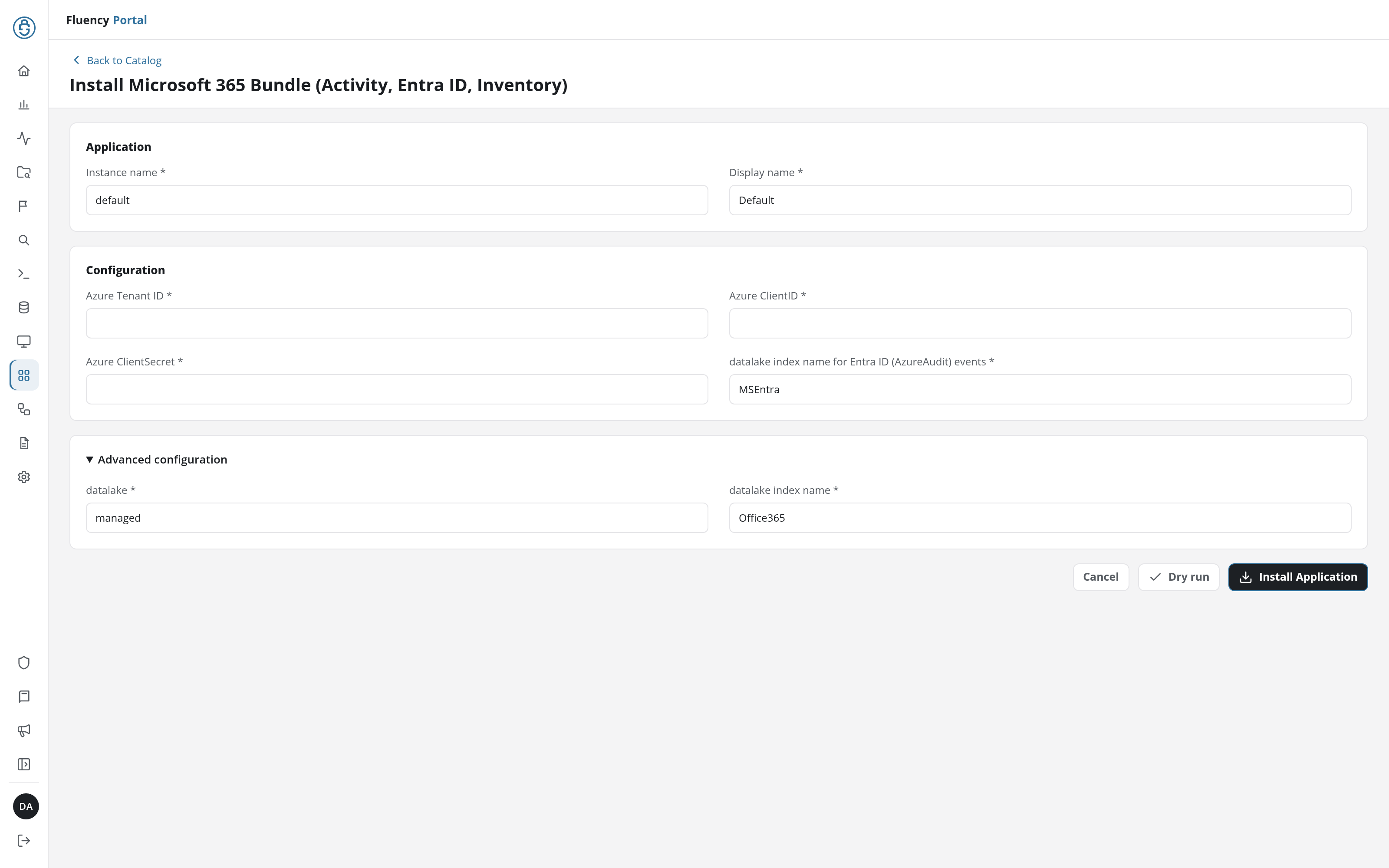
Application
The two fields every install form starts with: Instance name names this installation in its URL, and Display name is shown for it on Applications and its details page.
| Field | Type | Required | Default |
|---|---|---|---|
| Instance name | Text | Yes | default |
| Display name | Text | Yes | Default |
Configuration
| Field | Type | Required | Default |
|---|---|---|---|
| Azure Tenant ID | Text | Yes | - |
| Azure ClientID | Text | Yes | - |
| Azure ClientSecret | Password | Yes | - |
| datalake index name for Entra ID (AzureAudit) events | Text | Yes | MSEntra |
Advanced configuration
Collapsed when the form opens; click its heading to show the data lake the application writes to.
| Field | Type | Required | Default |
|---|---|---|---|
| datalake | Text | Yes | managed |
| datalake index name | Text | Yes | Office365 |
Install
Install Application installs Microsoft 365 Bundle (Activity, Entra ID, Inventory) with the values in the form; Dry run checks them first, without installing (see Dry run); Cancel returns to the catalog without installing. Every template's form shares the shape described under Install Form.