Auth0
Auth0 is an application template in the Cloud-based Business Softwares category of the Application Catalog. Its card describes it as Auth0 tenant log events (logins, signups, MFA, password changes, attack protection, Management API changes) via API. Installing it from the form below adds an application to Applications. Its template ID, Auth0, is the one listed on Application Templates.
Menu path: Applications → Install Application → Auth0 · URL path: /v2/applications/install?template=Auth0
Task guide: Auth0
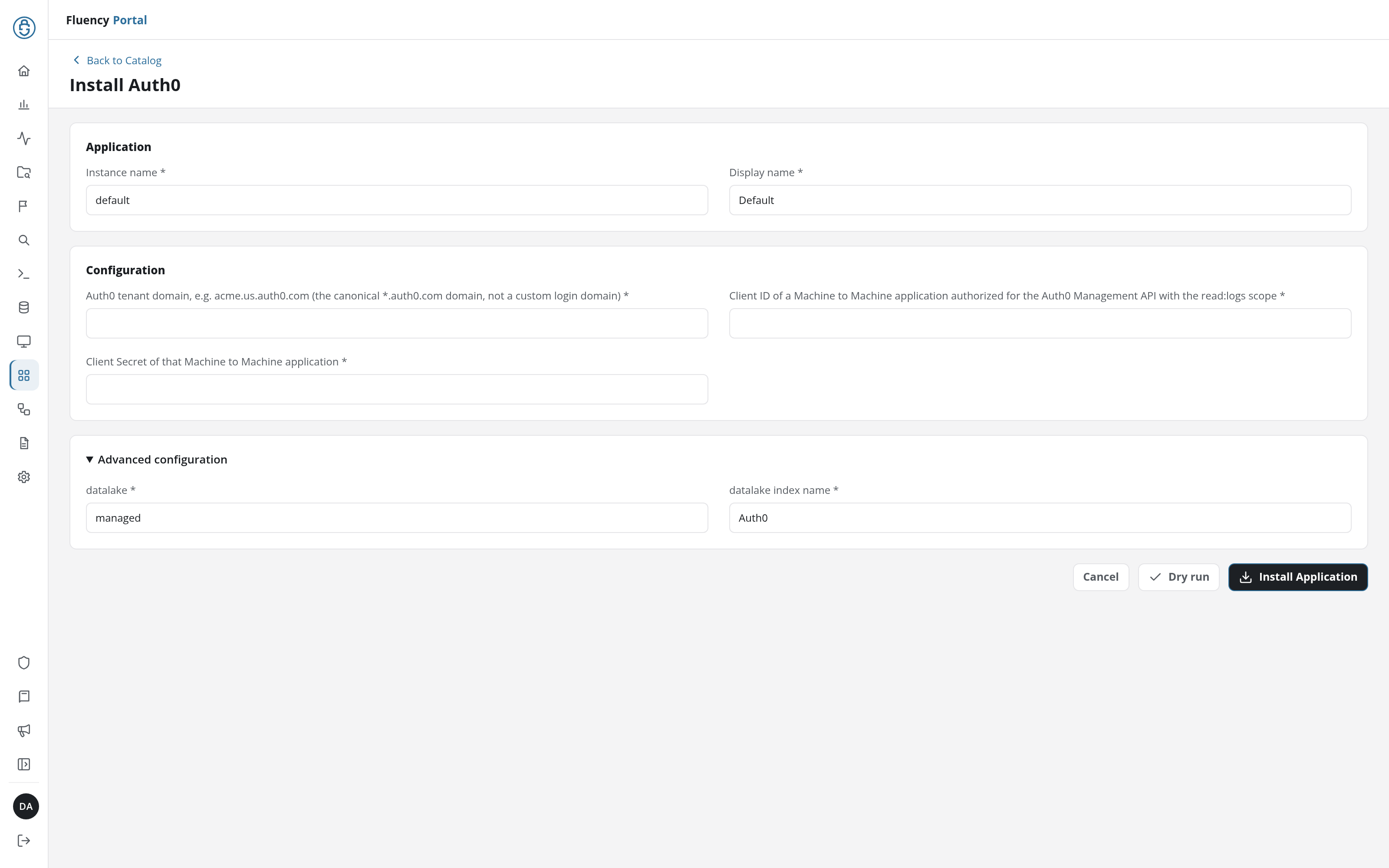
Application
The two fields every install form starts with: Instance name names this installation in its URL, and Display name is shown for it on Applications and its details page.
| Field | Type | Required | Default |
|---|---|---|---|
| Instance name | Text | Yes | default |
| Display name | Text | Yes | Default |
Configuration
| Field | Type | Required | Default |
|---|---|---|---|
| Auth0 tenant domain, e.g. acme.us.auth0.com (the canonical *.auth0.com domain, not a custom login domain) | Text | Yes | - |
| Client ID of a Machine to Machine application authorized for the Auth0 Management API with the read:logs scope | Text | Yes | - |
| Client Secret of that Machine to Machine application | Password | Yes | - |
Advanced configuration
Collapsed when the form opens; click its heading to show the data lake the application writes to.
| Field | Type | Required | Default |
|---|---|---|---|
| datalake | Text | Yes | managed |
| datalake index name | Text | Yes | Auth0 |
Install
Install Application installs Auth0 with the values in the form; Dry run checks them first, without installing (see Dry run); Cancel returns to the catalog without installing. Every template's form shares the shape described under Install Form.